








.svg)




Draft your article with our blog writer

Research for factual, up-to-date content about each section.
Use our one-click Continue writing function to expand on a section while staying on topic.
Edit easily with a curated set of in-built , or give our AI your own written instructions.
.webp)
Connect your Webflow site
Under integrations, click to connect to Webflow.
Sign in to your Webflow account and select your workspace.
A safe and secure way to connect with Webflow.
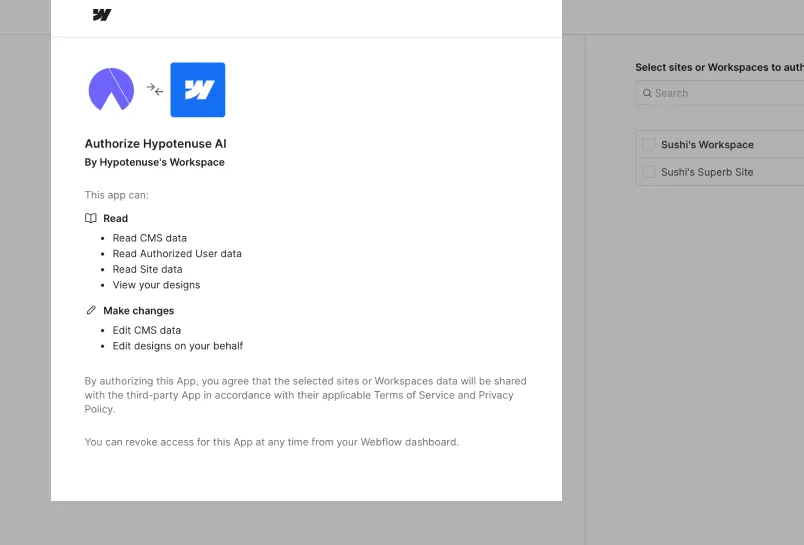
Seamless setup
Map your fields and send the right content into your workspace.
Retain the original formatting and headings when you export directly.
Manage everything from one place without switching around.
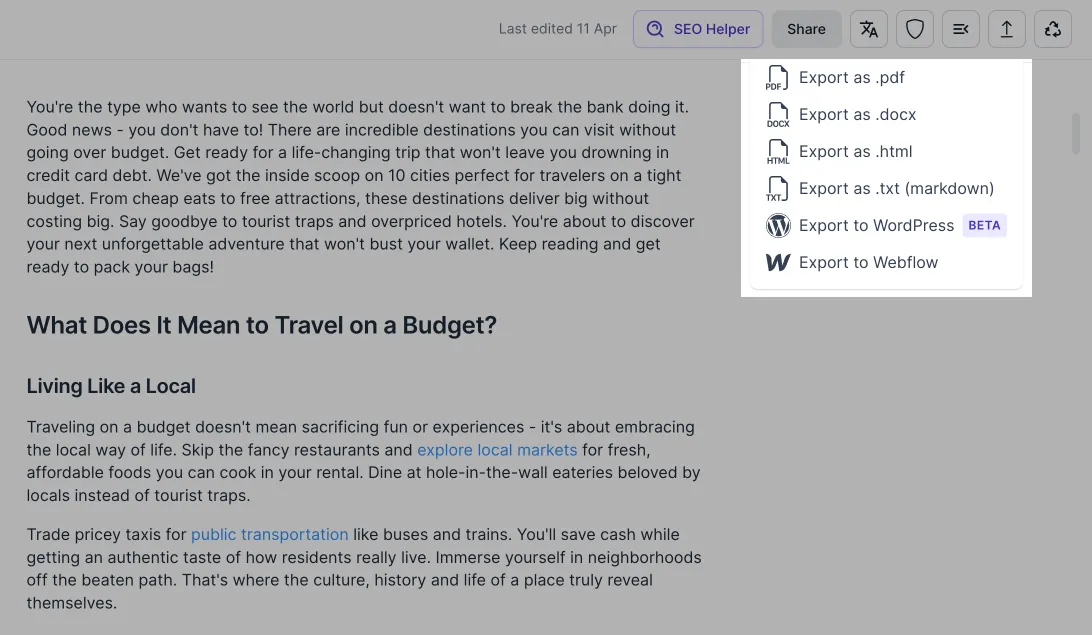


Never start from a blank page again


Frequently Asked Questions
What can Hypotenuse AI publish to Webflow?

Blog articles written in Hypotenuse AI, exported straight into your Webflow CMS with the formatting intact. You write and edit in one place, then send the finished post to your site without copying it across by hand.
How does the Webflow connection work?
Connect your Webflow site once and choose the collection you publish into. From then on, finished articles export from Hypotenuse AI to that collection, where you can review them in Webflow before they go live.
Can we edit before anything is published?
Yes. Articles are drafted and edited inside Hypotenuse AI, and exporting to Webflow does not publish them to your live site. You keep the final say in Webflow.
Are the articles factually researched?
Articles are researched against current web sources rather than written from the model's memory alone, and the sources used are shown so you can check them. Review before publishing is still the right habit for anything where accuracy matters.
Can it write in our brand voice?
Yes. Set your tone, vocabulary, formatting preferences and the words you never want used, and every article is written against those rules rather than a generic house style.
Can we try it before connecting our site?
Yes. Write and export articles manually first to see the output, then connect Webflow once you are happy with the quality and the voice.
.avif)